


Windows 11 Pro – Retail

Windows 11 Pro – Retail
-
 Windows

- Devices
- 1 PC
- Licence type
- Perpetual licence
- Works on
- Windows
At a glance
Everything you need to know, in plain words.
- Devices1 PCEach licence is for one computer. Need it on more computers? Buy additional licences.
- Licence typePerpetual licencePay once: no subscription, no expiry.
- DeliveryInstantly by e-mailActivation code and download link arrive by e-mail right after payment.
-
Works onWindowsMake sure your computer is of this type.
- LanguageAll languagesChoose English or another language during installation.
- InvoiceIncludedWith VAT shown, for individuals and businesses.
Download Windows 11
Official free download from Microsoft: create a USB stick or ISO file, then activate with the code you get from us.
Microsoft
Product description
Windows 11 Pro as a perpetual Retail licence for 1 PC. The operating system for work, home office and demanding users – with BitLocker, Remote Desktop and Hyper-V. You receive a product key with online activation, delivered digitally by email. Pay once, use for good – no subscription and no follow-up costs.
Who is Windows 11 Pro Retail for?
The Retail version is aimed at anyone who wants to keep their licence flexible: self-employed professionals, small businesses, developers and power users. Under the Microsoft licence terms, a Retail licence can be transferred to a new PC when you change computers.
Your benefits
- Retail licence – transferable when you change devices, in accordance with the Microsoft licence terms.
- BitLocker drive encryption protects your data in the event of loss or theft.
- Remote Desktop for secure remote access to your computer.
- Hyper-V for running virtual machines directly on Windows.
- Domain join and Group Policy for central management on company networks.
- Includes the complete feature set of the Home edition.
- Perpetual licence with no monthly costs – buy once, use for good.
- Instant digital delivery of the product key by email.
New compared with Windows 10
- Redesigned interface with a centred Start menu and rounded design.
- Snap layouts for quickly and neatly arranging multiple windows.
- DirectX 12 Ultimate for modern graphics and gaming.
- Built-in widgets for news, weather and calendar at a glance.
System requirements
| Processor | Microsoft-supported 64-bit processor, 1 GHz or faster, at least 2 cores |
| Memory | 4 GB RAM |
| Storage | 64 GB of free storage |
| Firmware | UEFI with Secure Boot enabled |
| Security | TPM 2.0 |
| Graphics | DirectX 12 compatible with WDDM 2.0 |
| Other | Internet connection for download and activation |
Licence & activation
You receive a digital perpetual Retail licence for 1 PC. The key is activated online. Any later transfer to another device is subject to the Microsoft licence terms; the previous installation must be removed or deactivated for this purpose. The licence has no time limit and requires no subscription.
Delivery – what do you receive?
- Product key by email
- Download link and illustrated installation instructions
- Invoice included.
Digital product – no physical shipping. Delivery is instant by email, usually within a few minutes.
Important information
- Valid for installation on one PC.
- Windows 11 requires a supported 64-bit processor, UEFI with Secure Boot and TPM 2.0 – please check your device's compatibility before purchasing. The licence is no substitute for compatible hardware.
- Transfer to a new device is possible under the Microsoft licence terms, provided the licence is no longer used on the old PC.
- Please note: for digital products, the right of withdrawal may expire once performance has begun – for details, please refer to the cancellation policy.
Frequently asked questions (FAQ)
Is the licence valid permanently?
Yes. It is a perpetual licence with no subscription and no recurring costs.
Can I transfer the licence to another PC?
Yes, under the Microsoft licence terms a Retail licence can be moved to another device once it is no longer used on the old PC.
What is the difference between Pro and Home?
Pro additionally offers BitLocker, Remote Desktop, Hyper-V, Group Policy and domain join – features for work and professional use.
How does activation work?
You install Windows 11 using the download link provided and enter the product key. Activation usually takes place online within a few minutes; the instructions describe every step.
Will I receive an invoice?
Yes, every delivery comes with a proper invoice.
How quickly is it delivered?
Delivery is instant by email, usually within a few minutes of receipt of payment.
What you get after purchase
- Genuine activation codeThe 25-character code to activate your licence.
- Download linkThe official installer in the language you prefer.
- Step-by-step guideClear instructions with pictures, even for beginners.
- VAT invoiceAlways included, downloadable in “My licences”.
Installation and activation
Open Settings › System › Activation.
Click “Change product key”.
Enter the 25-character code from your e-mail and confirm.
Done: Windows is activated with a digital licence.
Compare editions
Which version is right for you?
Compare features, compatibility and price.
Swipe right to compare all products.
| Details | You are viewing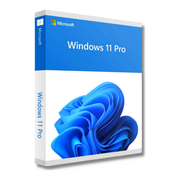 Windows 11 Pro – Retail | Windows 11 Pro – OEM
| 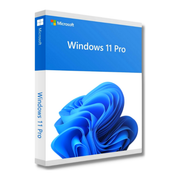 Windows 11 Pro – Volume Licence |
|---|---|---|---|
| Works on | Windows | Windows | Windows |
| Devices | 1 PC | 1 PC | 1 PC |
| Licence type | Perpetual licence · Retail | Perpetual licence · OEM | Perpetual licence · Volume |
| Delivery | Instantly by e-mail | Instantly by e-mail | Instantly by e-mail |
| Price | €15,99 This product | €12,99 View product | €9,99 View product |
Similar products
Help choosing your licence
Short explanations before buying. Check the selected product and licence terms for the exact scope.
Office 2024 or Microsoft 365: which should you choose?
Compare Office 2024 and Microsoft 365: one-time purchase, subscription, devices and activation. Find the option that matches the apps you need.
Read guideWindows 11 Home or Pro: which edition do you need?
Windows 11 Home or Pro? Compare your needs, encryption and licence type. Check the edition already installed on your PC before buying.
Read guideOffice for Mac: which version should you buy?
Choose Office for Mac by comparing macOS, apps, device count and activation. Understand Mac editions, Home & Business and Microsoft 365.
Read guide


